Quick Start Guide
This quick start guide will help you create your project with Omniflow in just a few minutes.
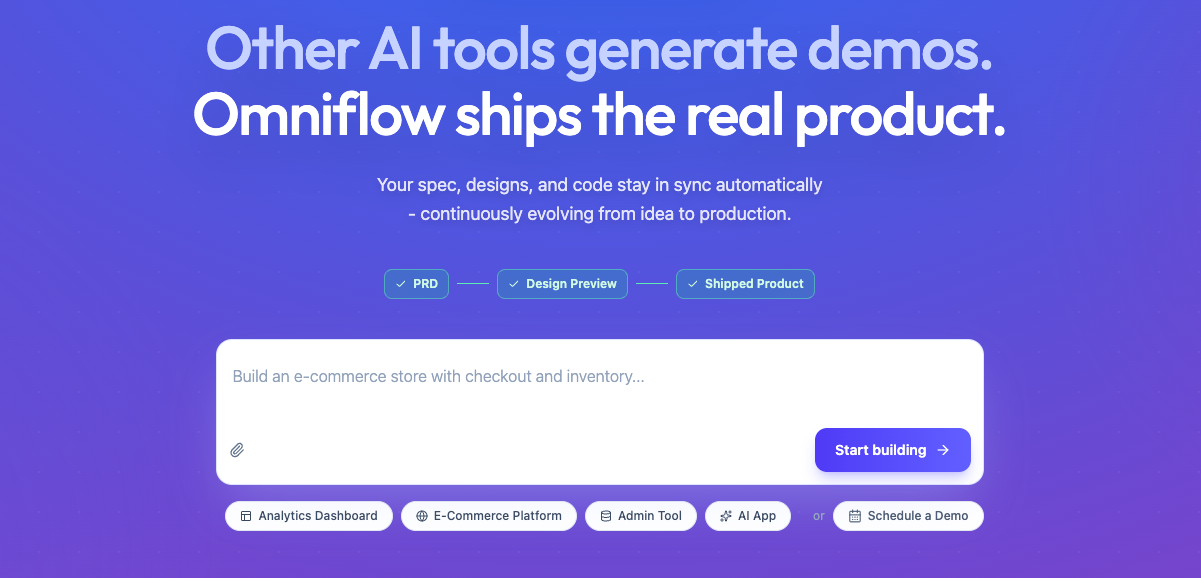
Step 1: Type in your Description
This is the starting point where you define your vision in plain English.
Input Idea: Enter a natural language description of the app you want to build (e.g., "An e-commerce store with checkout and inventory").
AI Initialization: The system uses this prompt to align the PRD, designs, and code from the very beginning.
Step 2: Create your PRD
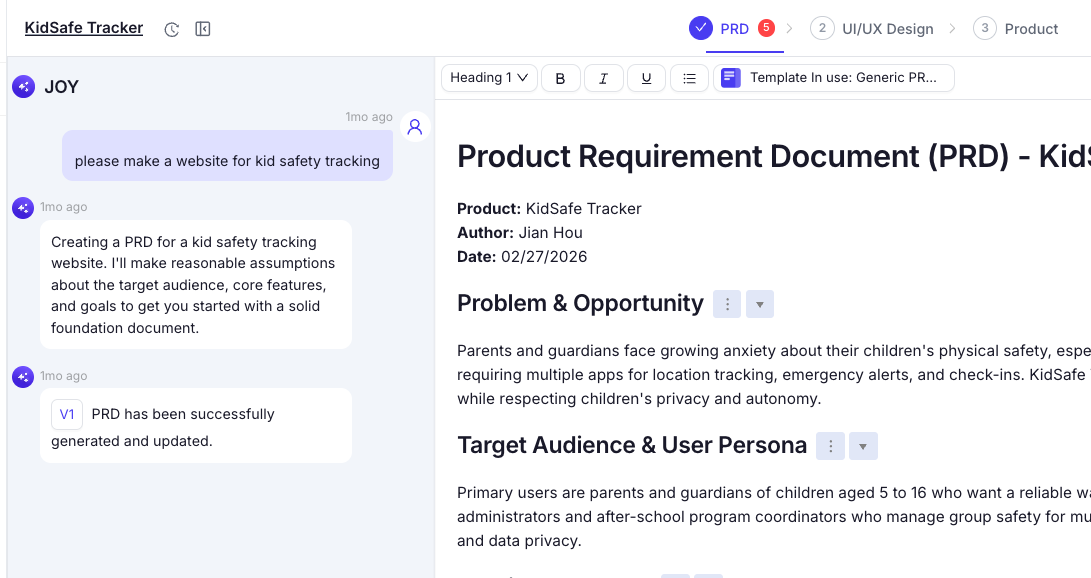
Omniflow generates an AI-Native PRD (Product Requirement Document) to serve as the project's foundation.
Collaborative Editing: You can chat with the "JOY" AI assistant to refine features or manually edit the document.
Structured Content: The PRD automatically outlines the problem, target audience, user personas, and core functional requirements.
Step 3: Generate UI/UX Design
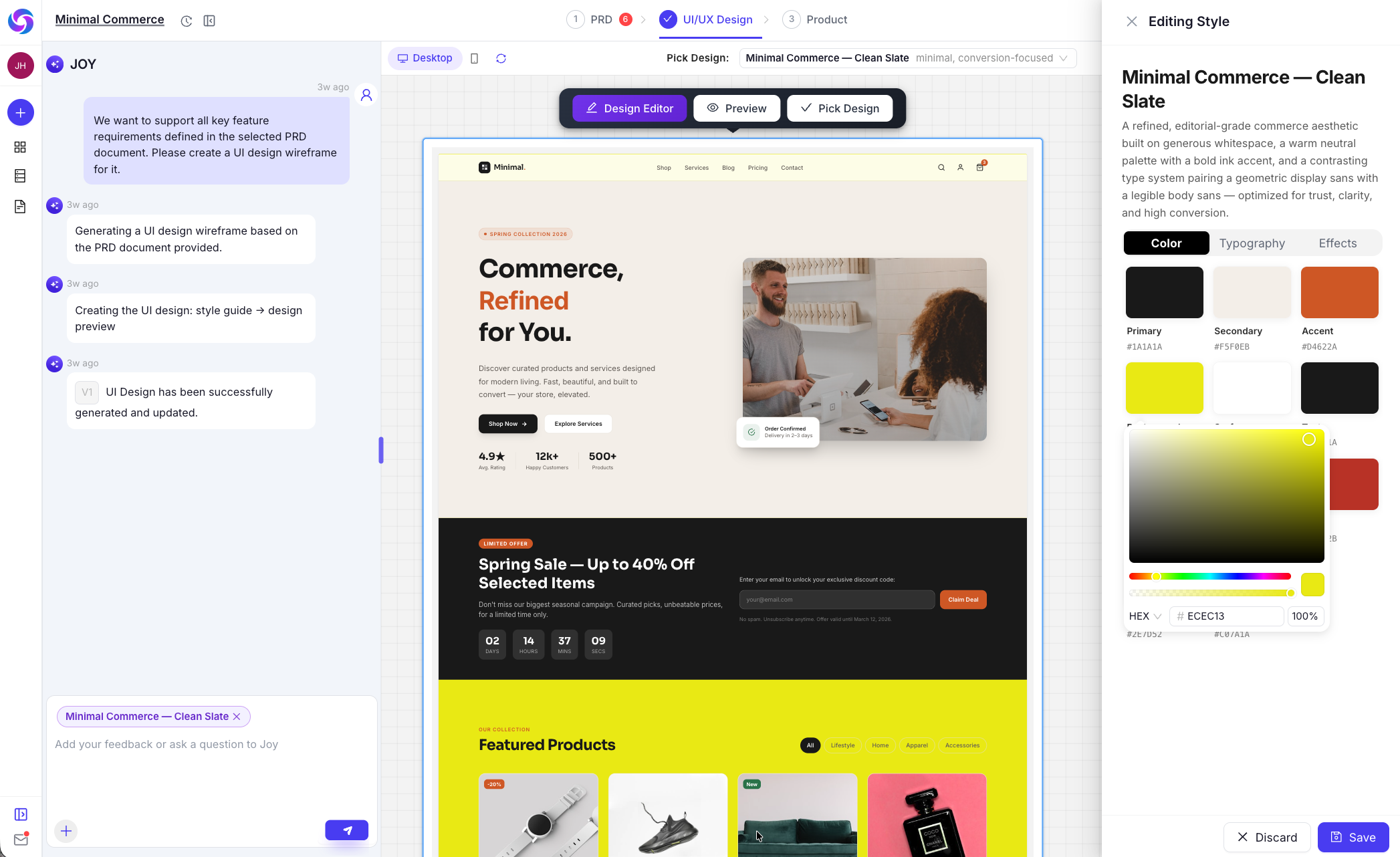
Before building the full engine, the platform creates a visual mockup.
Design Preview: Review the UI/UX Design System and layout to ensure the "look and feel" matches your expectations.
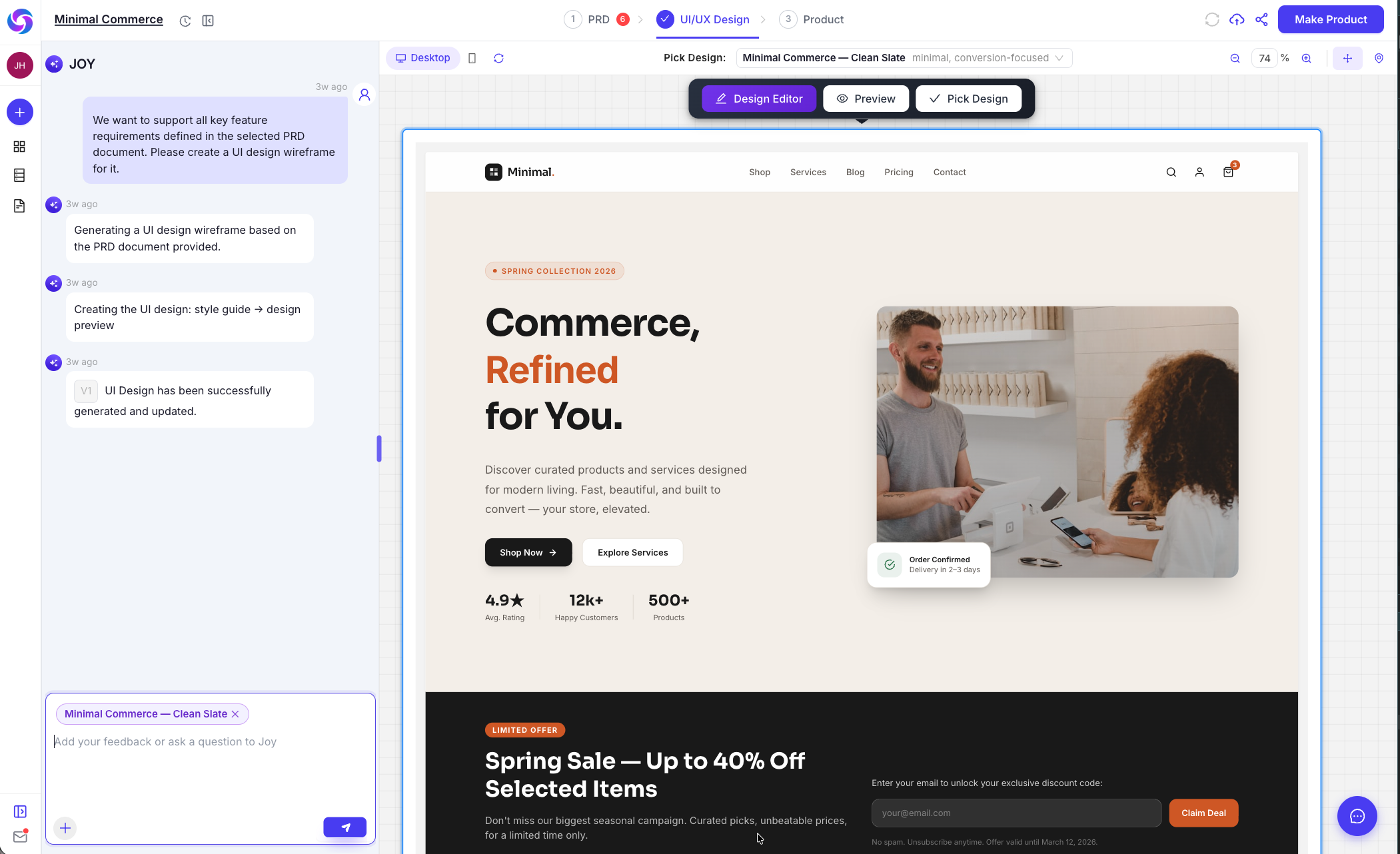
Rapid Iteration: This stage allows for quick aesthetic adjustments without worrying about backend logic yet.
Step 4: Generate Full-stack Product
The platform transitions from a mockup to a functional application.
Backend Integration: Omniflow configures the Database and APIs based on the PRD.
Code Generation: The AI ships the "real product," ensuring the frontend and backend are fully synced and operational.
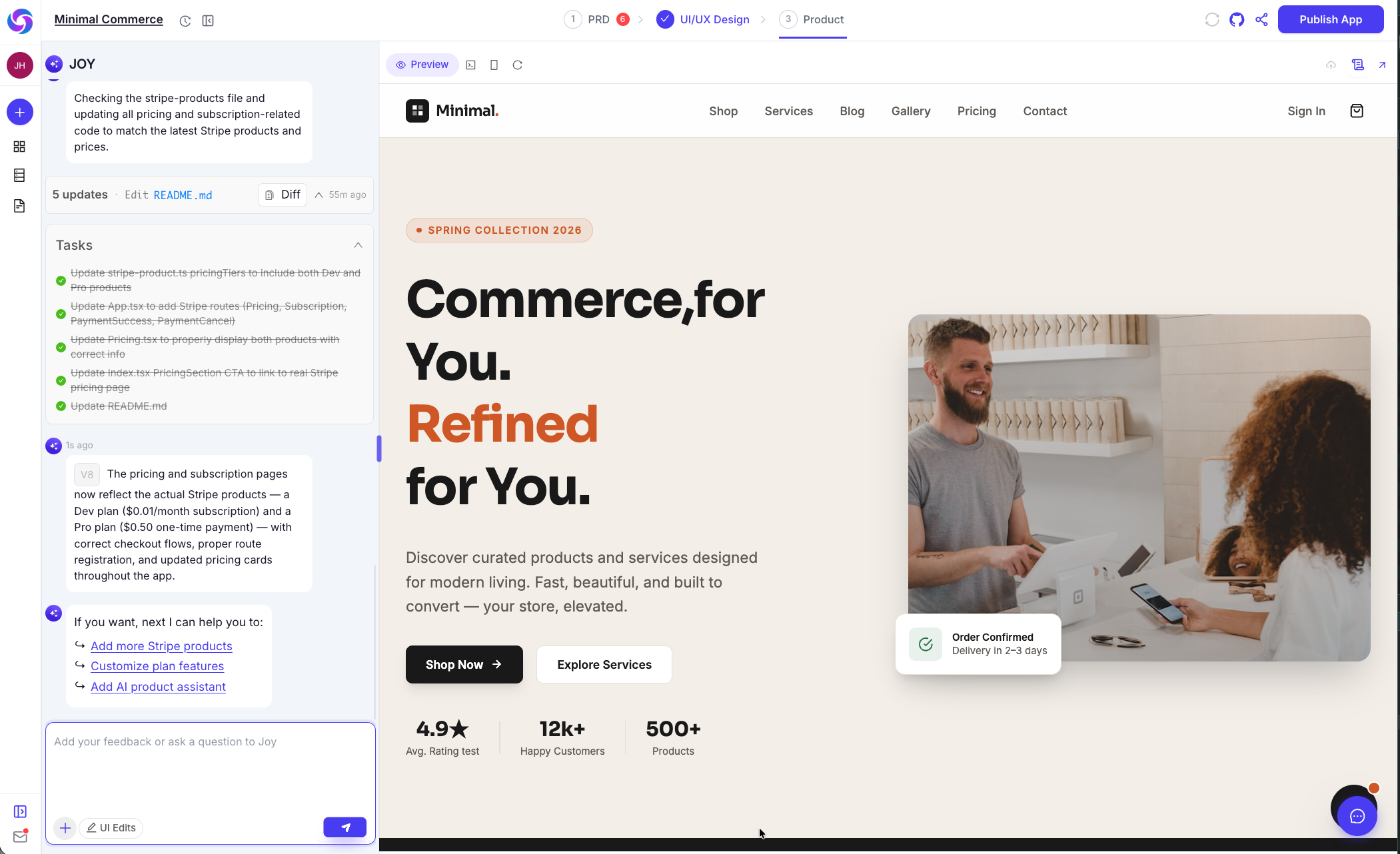
That's it! Your project should now be ready to publish
The final stage involves moving your application to a live environment.
One-Click Deployment: Use the Production Deployment features to make your app accessible to users.
Continuous Evolution: Even after publishing, you can use History Version Restore to roll back or update features as your product evolves.
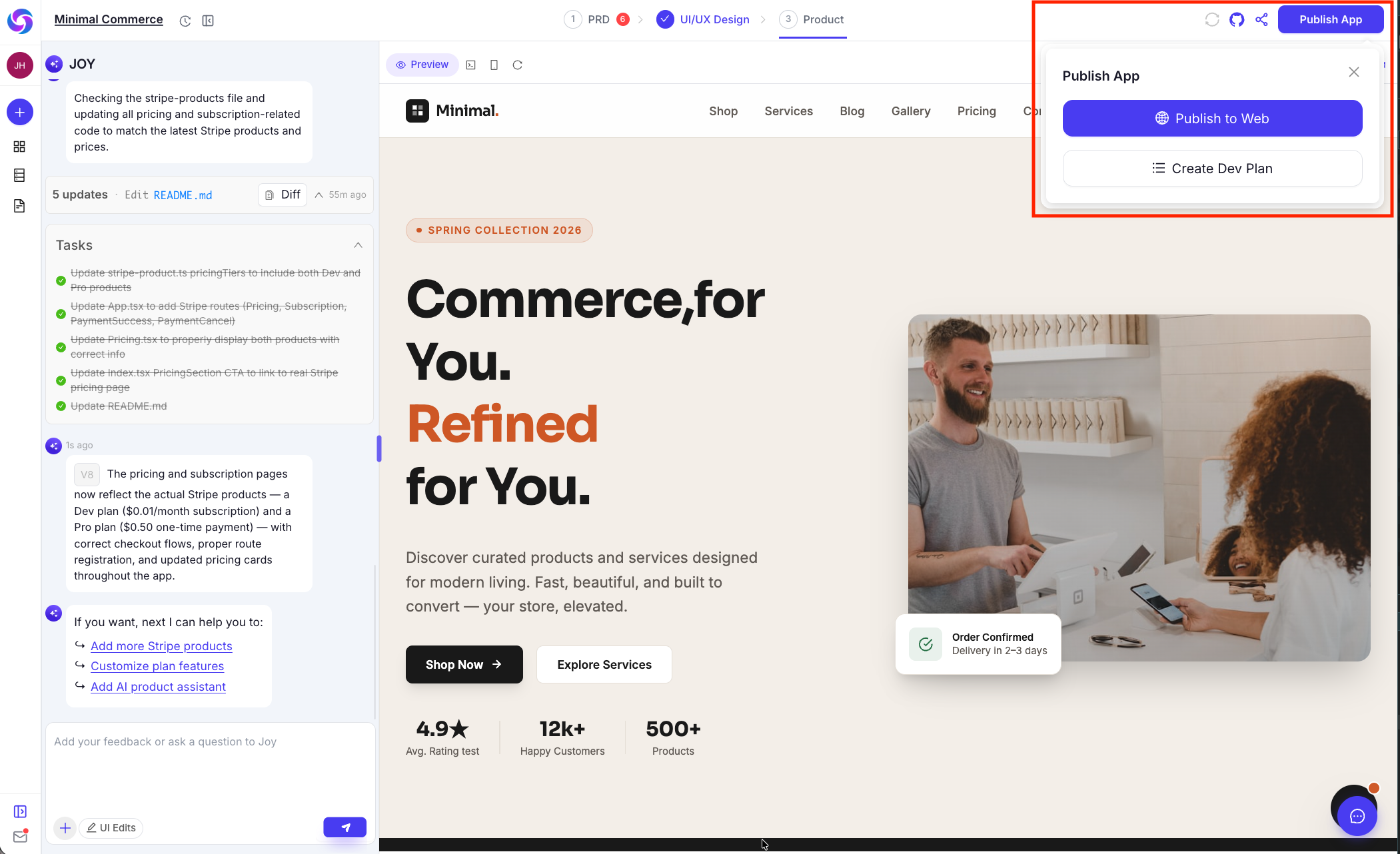
What's Next
Once your product is live, you can continue evolving it using the full Omniflow toolkit:
- Tech Design & Dev Plan: Generate technical architecture and engineering task documents from your PRD for more complex features.
- Knowledge Base: Add product context and guidelines so Joy generates more consistent outputs over time.
- GitHub / Bitbucket Sync: Connect your repository to keep your codebase in sync with every generation.
- Connectors: Integrate third-party APIs and AI services via the Connectors panel in project settings.