API Configuration
Configure API keys, external services, and connectors in Omniflow.
Connector Setup
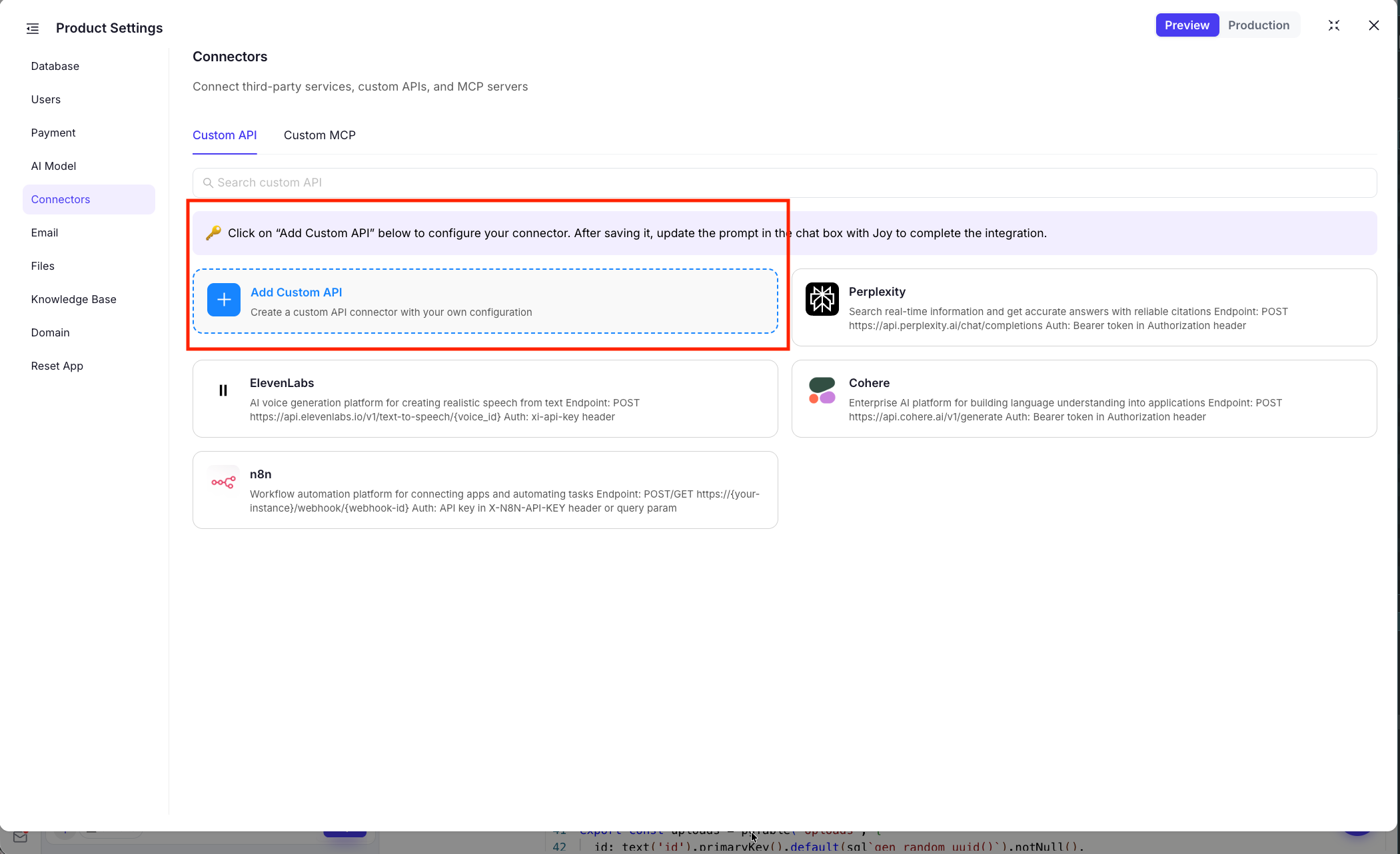
Use connectors to bring external services into your product.
- Pre-built Connectors: Use connectors for common APIs and external services.
- Custom Connectors: Add your own connector when you need a service that is not already available.
API Keys and Credentials
Most integrations start in product settings.
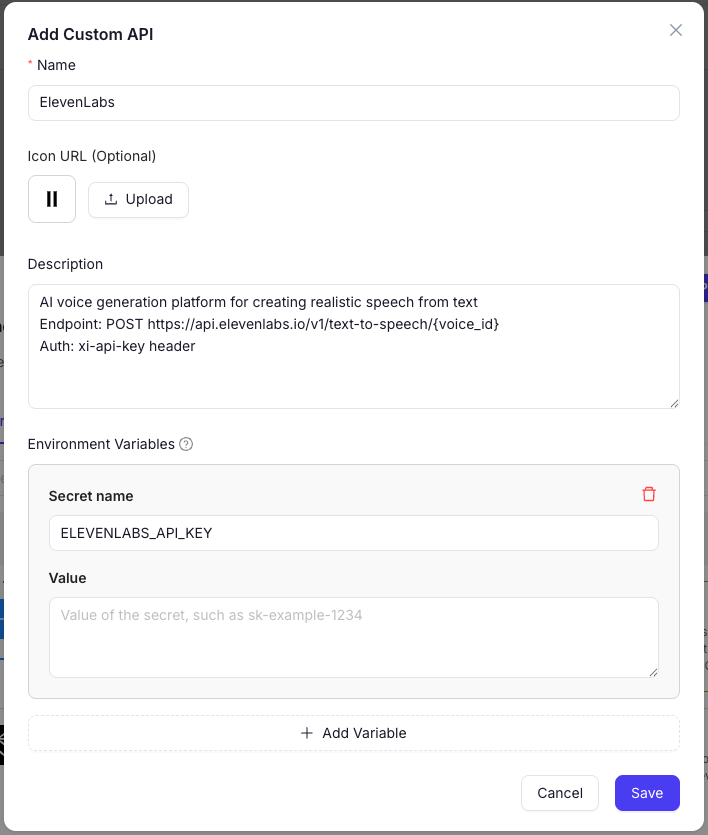
- Centralized Setup: Use the gear icon to configure API keys and service credentials.
- Project-Level Configuration: Keep integration settings attached to the current workspace.
Common API and Connector Examples
Common examples include:
ElevenLabs API
Add natural-sounding speech, voice agents, and audio content to your product.
Perplexity API
Ground answers and research flows with AI-powered search and retrieval.
Cohere API
Use text generation, embeddings, and classification for NLP features in your app.
Getting Started with APIs and Connectors
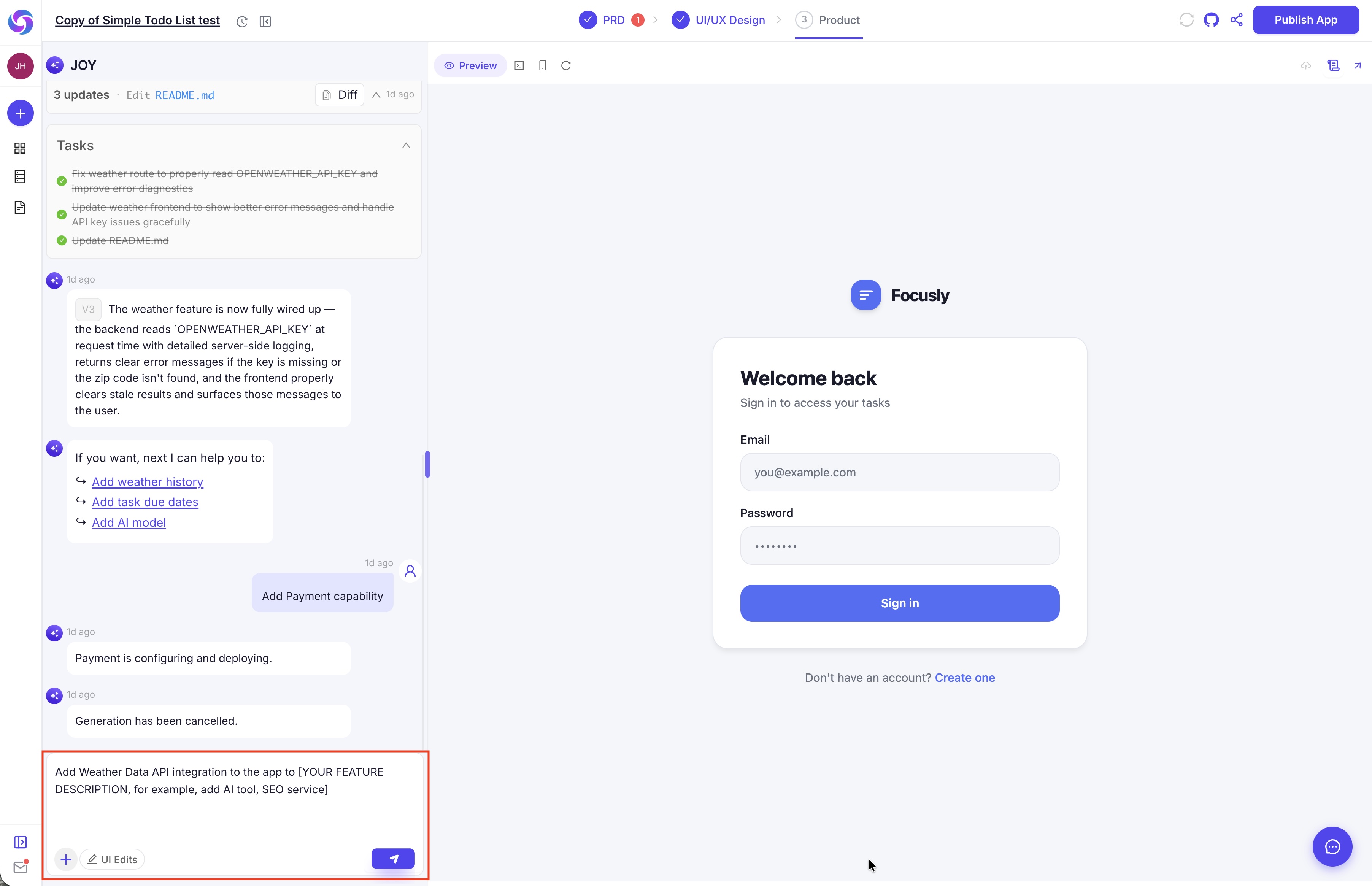
After connector setup, Omniflow generates a starter prompt you can edit to describe what to build with the API.
- Finish API key and connector setup for the service you need.
- Review the generated prompt.
- Edit the prompt to describe the feature you want to build.
- Continue in the product workflow and deploy when ready.