
According to industry surveys, a growing share of businesses are prioritizing AI integration in existing software rather than replacing legacy systems outright. For many teams, the opportunity is not building a brand new AI product, but adding AI and other intelligent features like chat, automation, predictive analytics, and semantic search into the applications they already use.
 Artificial intelligence is rapidly shifting from experimental technology to a core feature layer inside modern software. In fact, according to McKinsey & Company, 88% of organizations now use AI in at least one business function, while 71% report regular use of generative AI, signaling that AI adoption is moving well beyond early pilots.
For many businesses, the opportunity is not building an entirely new AI product from scratch. It is adding AI to the web applications they already have. Whether through AI chat assistants, semantic search, automation agents, or predictive features, companies are increasingly looking to layer intelligence into existing products rather than rebuild their software stack.
In this guide, we’ll explore how to add AI to an existing web app, what technologies make it possible, and how platforms like Omniflow can help teams move from prototype to production faster.
What Does It Mean to Add Artificial Intelligence to an Existing Web App?
Adding AI to an existing web app usually does not mean rebuilding your software from scratch. In many cases, it means layering new AI capabilities on top of your existing technology stack, using APIs, pre trained models, or external services to introduce intelligence into workflows that already exist.
This AI integration approach allows businesses to enhance functionality while preserving the backend logic, databases, and user experience they have already invested in. For many teams, the goal of integrating AI is practical. It may be about automating repetitive tasks, improving customer support, analyzing user behavior, or increasing user engagement with smarter features.
Ultimately, adding AI to an existing web app means making the application smarter, not replacing software engineers or the people who operate the app. Whether through predictive analytics, workflow automation, natural language processing, or embedded AI tools, the objective is usually the same: use AI solutions to expand what the product can do while improving system performance and delivering more value to users.
How to Add AI to an Existing Web App With Omniflow
Adding AI to an existing web app can take many forms, from simple chat interfaces and semantic search to automation, predictive analytics, and AI agents. With a platform like Omniflow, these AI features can often be added by building on existing workflows rather than rebuilding your application from scratch.
Below are seven practical ways teams can use Omniflow to integrate artificial intelligence into web applications and expand what their products can do.
#1 - Add an AI-Powered Chat Interface
One of the most common ways businesses begin integrating artificial intelligence is by adding a conversational AI chat widget directly into their web application. This can be one of the lowest-friction entry points for AI integration because it often builds on existing user requests and support workflows rather than requiring major changes to the product itself.
A chat interface powered by pre trained models can help users ask questions in human language, navigate the product, generate content, or complete simple task execution through prompts. In many cases, it acts as an intelligent layer on top of your existing technology stack.
Over time, these systems can evolve well beyond simple support bots. Many AI powered web applications now use chat interfaces as internal tools or copilots, admin assistants, or customer support tools that connect to backend logic through API calls.
#2 - Add Semantic Search to Your App
Traditional search often depends on exact keywords, filters, or structured queries, which can create friction for users. Adding AI powered semantic search changes that by allowing users to search in natural language and retrieve results based on meaning rather than matching terms alone.
That can make existing applications much easier to use, particularly when users are searching across large data sets, internal documents, or complex records. This type of AI integration often relies on natural language processing, AI models, and external services working alongside your data layer.
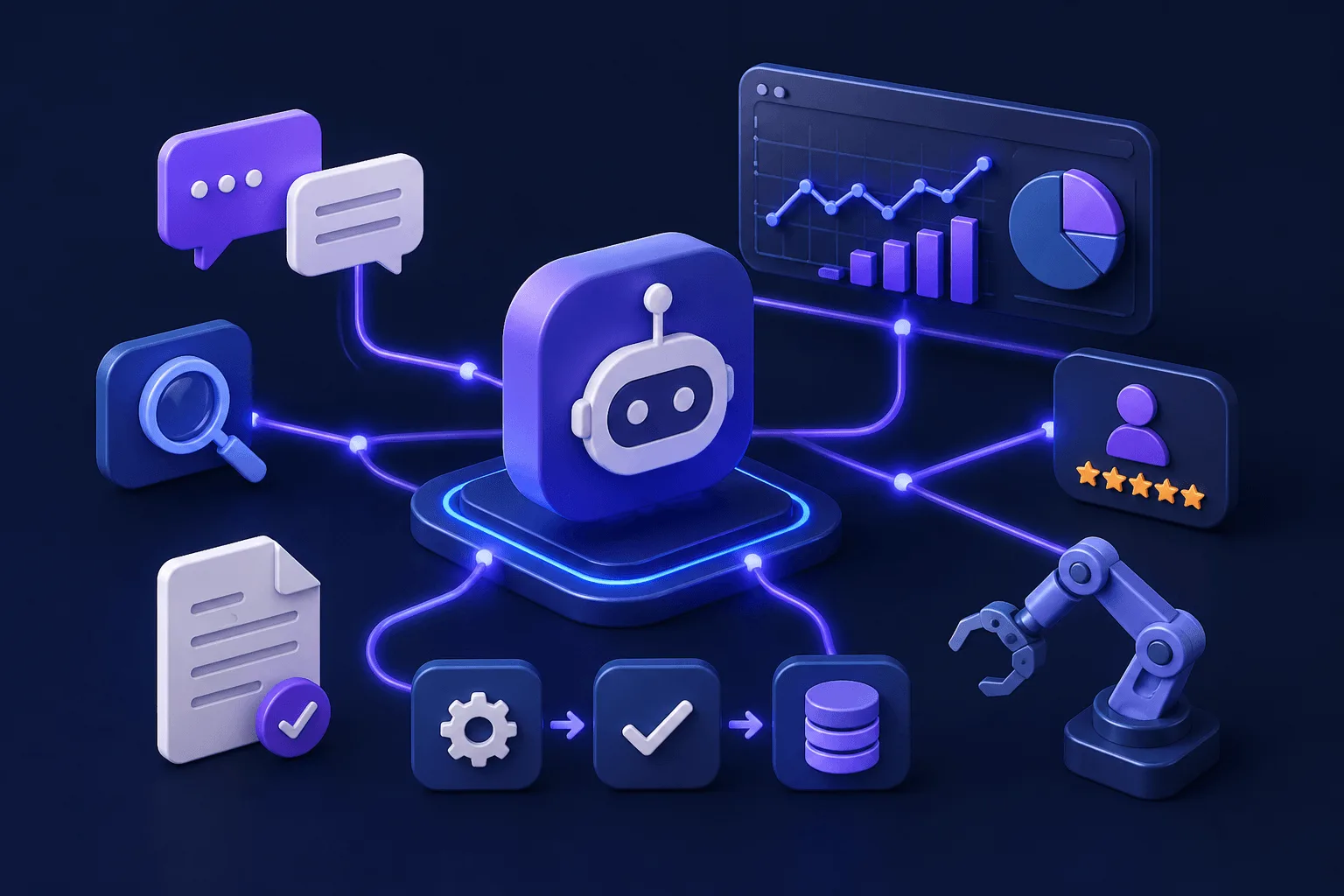 For example, a user might type a request like “show overdue invoices from enterprise customers,” and the system can interpret intent, analyze the query, and surface the relevant data without forcing users through multiple filters. This often improves user experience, strengthens user retention, and makes AI capabilities immediately valuable.
#3 - Use AI to Automate Repetitive Workflows
Another major reason companies add AI is to automate repetitive tasks that consume time but add little strategic value. Many organizations begin implementing AI to handle processes like data entry, ticket routing, categorization, document processing, or approval workflows, often through robotic process automation combined with AI agents.
Rather than replacing people, the goal is usually to reduce manual effort and improve system performance. This can be done by connecting AI tools to backend logic through API calls or embedding AI agents that can process user requests and trigger predefined actions.
Over time, automation can move beyond simple rules and become adaptive, allowing models to improve decisions through data analysis and ongoing monitoring. For businesses or even AI startups looking to scale operations without adding overhead, this is often one of the strongest AI use cases.
#4 - Add Predictive Intelligence With Conversational AI
Many businesses add AI not just to respond to users, but to anticipate what may happen next. Predictive analytics uses AI models to analyze patterns in historical and new data, helping organizations surface insights related to churn risk, fraud detection, demand forecasts, lead scoring, or trend detection.
In many cases, this is where AI starts moving from convenience feature to decision-support capability.
Adding predictive intelligence can often be done using pre trained models, custom model training, or cloud services from providers like Google Cloud or Microsoft Azure. When integrated well, predictive analytics can improve customer satisfaction, strengthen user trust, and help businesses make smarter decisions inside the applications they already use.
#5 - Introduce AI Recommendations
Recommendation systems are another practical way of integrating AI into an existing web app. Instead of making users figure out what to do next, AI can help personalize content, suggest products, surface next-best actions, or recommend workflows based on analyzing user behavior.
This can make applications feel more responsive while improving user engagement and user retention.
Many AI recommendations are powered by models that combine historical patterns, user signals, and predictive analytics. Some teams start with relatively simple recommendation engines, while others build custom models for deeper personalization.
#6 - Connect AI Integrations to Proprietary Data With RAG
For many organizations, generic AI only becomes truly useful when it can reason over proprietary data. That is where retrieval-augmented generation, or RAG, comes in. Rather than relying solely on a general-purpose model, RAG connects AI to internal documents, databases, knowledge bases, and customer records so responses are grounded in your own data.
For existing web applications, this can be a powerful integration path because it builds on data assets you already have. A conversational AI system connected through RAG can answer complex queries, assist customer support, analyze internal information, or help users interact with data in natural language.
This is the step where adding AI starts feeling less like experimentation and more like core product functionality.
#7 - Add AI Agents That Can Take Actions
One of the most advanced ways to add AI is by moving beyond chat and giving AI agents the ability to take action inside the application. Instead of simply answering questions, AI agents can create records, update settings, trigger workflows, execute business logic, or coordinate tasks across external services. This is where integrating artificial intelligence begins to reshape how software operates.
These systems often combine AI models, orchestration layers, API keys, and backend integrations to connect reasoning with task execution. In many cases, this is where platforms positioned as AI agent platforms or no code AI tools can help accelerate implementation.
 Core Architecture for Adding AI
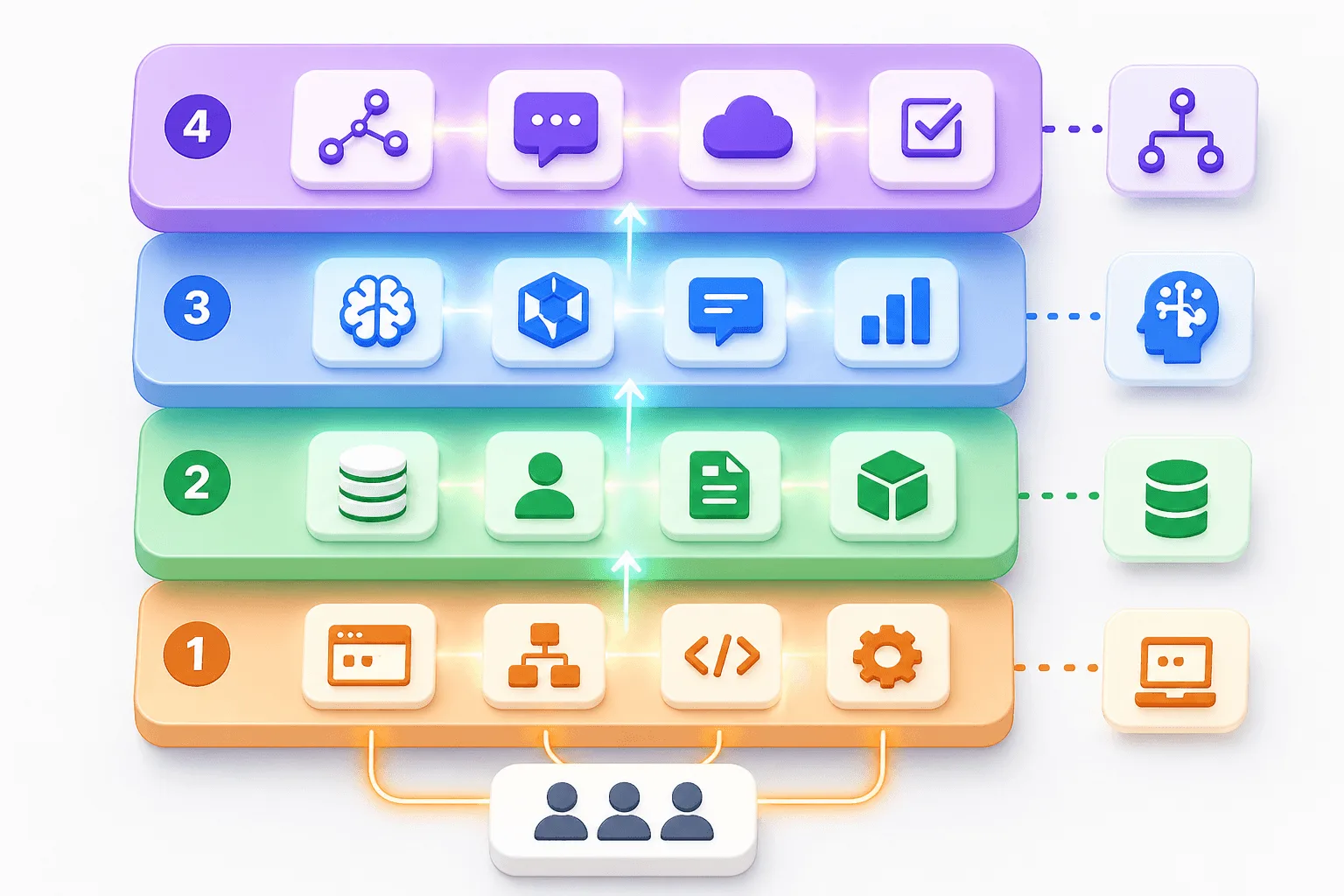
Although AI integration can take many forms, most implementations follow a similar architecture built around four layers.
At the foundation is the existing application layer, which includes the web app’s interface, workflows, and business logic.
Beneath that sits the data layer, where structured data, customer records, and knowledge sources live. These layers typically remain in place even as AI is introduced.
On top of that sits the AI model layer, where pre trained models, custom models, natural language processing systems, or predictive analytics engines operate.
Finally, the orchestration layer connects everything together, handling API calls, routing prompts, managing external services, and coordinating task execution.
Whether using minimal coding approaches or building custom models, most AI powered web applications rely on some version of this architecture to integrate intelligence into an existing technology stack.
Common Mistakes When Adding AI Solutions to Web Apps
One common mistake when implementing AI is treating it like a standalone feature instead of integrating it into your existing technology stack. Businesses may add AI features like a chat widget or conversational AI without thinking through backend logic, user requests, or how the AI model connects to real workflows. That can create a poor user experience, weaken customer satisfaction, and limit the practical value of the integration.
Another frequent mistake is relying too heavily on generic pre trained models without enough data analysis, domain context, or effort to fine tune the model for the specific use case. While pre trained models can accelerate AI capabilities, some applications may require custom logic, computer vision, image recognition, or more specialized models to deliver reliable results.
Weak integration can also create problems around system performance, especially when API calls, external services, or model responses are not optimized.
Teams often also underestimate governance issues like monitoring, privacy, and model quality. Whether you are adding predictive analytics, automating user requests, or integrating conversational AI, success often depends less on the AI tools themselves and more on how thoughtfully they are implemented.
In many cases, the strongest results come from starting small, testing AI features inside real workflows, and expanding once the technology improves the product experience.
Integrating AI Models, AI Tools & Other AI Features With Omniflow
Platforms like Omniflow, such as Lovable and Base44, are designed to help reduce many of these risks by making the integration process more structured. Rather than bolting AI onto an application as an afterthought, teams can use Omniflow to connect AI capabilities to existing workflows, coordinate backend logic with user-facing features, and iterate on implementations with minimal coding.
That helps businesses add AI features more reliably, improve system performance, and move from experimentation to production with fewer mistakes.
👉 Ready to integrate AI into your existing web apps? Sign up and start building today and turn AI automation into your biggest advantage.
Frequently Asked Questions - How To Add AI To Existing Web Apps
Can you add AI to an existing web app without rebuilding it?
Yes. In many cases, businesses can add AI to an existing web app without replacing the entire application. Common approaches include using API calls to connect pre trained models, adding AI features like chat widgets or semantic search, or integrating AI agents into an existing technology stack. The goal is usually to enhance workflows, not rebuild the product from scratch.
What is the easiest way to add AI to a web application?
For many teams, adding a conversational AI chat widget or semantic search is often the simplest starting point. These AI capabilities can often be implemented with minimal coding using external services, pre trained models, or no code tools, while still improving user experience and customer satisfaction.
How can AI improve an existing web app?
AI can improve a web application in many ways, including automating repetitive tasks, analyzing user behavior, enhancing user engagement, supporting customer support, delivering predictive analytics, and surfacing personalized recommendations. Over time, these AI features can expand product functionality while improving system performance.
Can legacy applications support AI integration?
Yes. Many legacy systems can support integrating artificial intelligence through APIs, middleware, cloud services, and retrieval-augmented generation. Businesses often start by connecting AI models to existing data sources and workflows, rather than replacing the software itself.
What is retrieval-augmented generation (RAG)?
Retrieval-augmented generation, or RAG, is an AI approach that connects models to proprietary data such as internal documents, databases, customer records, or knowledge bases. This helps AI generate more accurate, grounded responses and makes conversational AI much more useful inside real applications.
Do you need a machine learning team to add AI to a web app?
Not necessarily. Many businesses can begin implementing AI using pre trained models, no code tools, and AI platforms without building custom models from scratch. More advanced use cases may require model training or fine tuning, but many integrations can start with minimal coding.
How does Omniflow help add AI to an existing web app?
Platforms like Omniflow can help teams connect AI models, workflows, backend logic, and user-facing features in a more structured way. That can make it easier to add AI capabilities, reduce integration risk, and move from experimentation to production faster.