
That napkin sketch has been on your desk for three months. Every night, you open the notes app, type a new feature idea, and then close it, staring at the ceiling. The product could help people. Maybe thousands of people. It can even pay the bills. But the gap between a scribble and a real app feels like a canyon.
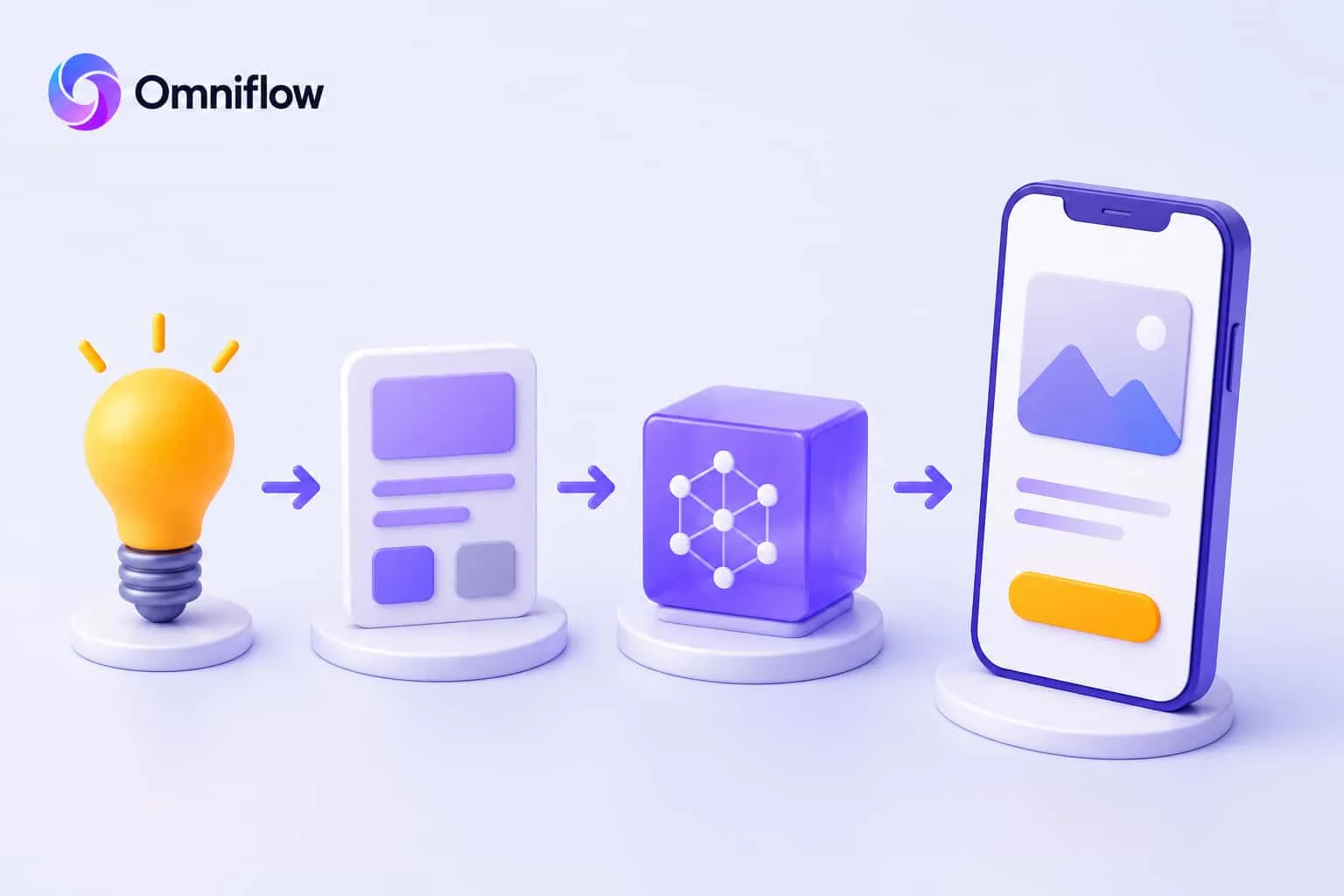 Engineers cost too much. Learning to code takes too long. Freelance agencies demand tens of thousands. So the idea stays an idea. Another one that never saw daylight. Stop right there. AI now lets you turn a product idea into a working app faster than most people finish a business plan.
What It Means to Turn a Product Idea into a Working App with AI
Turning a product idea into a working app used to mean months of development, thousands of dollars, and a team of specialists. Now, AI app development changes the game. Describe the idea in plain words. An AI app builder handles the rest UI designs, database schemas, user authentication, even deployment. The result is a real, production-ready application built from a simple conversation.
Most great ideas never become products. The friction is too high. AI removes that friction. Anyone with a clear problem and a bit of persistence can go from idea to app in days.
Why Ideas Die Before They Become Apps
Most product ideas fail because they are never built or tested. And there are three possible reasons for this. First, the build cost looks scary. A decent mobile or web app from a development agency starts at fifty thousand dollars. That is before the first user signs up. Second, technical unknowns pile up. What database works best? How to handle login? Where to host? Each question adds another week of research. Third, founders talk themselves out of it. They imagine all the ways the app could fail. They never imagined how quickly AI could prove them wrong. But with the power of AI, it ends in this era.
How You Can Turn a Product Idea into a Working App with AI
Gone are the days when you have to hire developers and teams to build a product. The product building process took longer and was never promised to be a successful one, even if you build something. But with AI, it has become easy to build, test, and scale up accordingly. Using platforms like Omniflow AI ensures your product evolves from idea to production-ready code without manual infrastructure setup.
Step 1: Start With a Pain, Not a Feature List
Every working app solves a specific problem for a specific person. Do not write a document with twenty features. Instead, write three sentences:
Who feels the pain?
What exactly frustrates them?
What would make that frustration disappear?
For example, not: "A project management app with Gantt charts and time tracking." Instead: "Freelance designers lose two hours a week chasing client feedback. They want a simple way to share designs and get comments in one place." This second version is gold. It tells exactly what to build.
Step 2: Use an AI Prototyping Tool to See It First
Before building anything real, generate UI designs and interactive prototypes. An AI prototype generator turns text prompts into clickable mockups. Describe the main screen. Say: "A dashboard showing recent orders, a button to add new orders, and a table of customer names."
The AI creates a design in seconds. Change the colors. Move the button. Add a chart. All without dragging a single pixel. This step saves weeks of guessing. Get app feedback early. Show the prototype to five potential users. Ask: "What confuses you? What is missing?" Their answers become the real feature list.
Step 3: Choose an AI App Builder That Builds Full Stack
Not all AI app builders are the same. Some only generate frontend code. Some just make prototypes. Some lock into their own hosting. Look for a tool that builds full-stack applications: frontend, backend, database, authentication, and APIs. Everything needed to launch a real product.
Omniflow does exactly that. Describe the product idea. Omniflow generates a complete web app with user accounts, data storage, and business logic. And you don’t need a separate database setup for this.
Step 4: Add AI Features That Feel Like Magic
Once the basic app works, enhance it with AI features. For the freelance designer example, add an AI that reads client comments and automatically prioritizes changes. Or an AI that generates alt text for uploaded images. Or an AI that predicts how long a revision will take.
AI does not need to be the whole product. Just one smart feature can make an app memorable. Use pre-built AI assistants through simple APIs, like OpenAI or Anthropic integrations. No machine learning degree required.
Step 5: Get User Feedback Before Polishing
Launch a rough version to a small group. Five to ten people who feel the original pain. Ask "What is the one thing you cannot do today?" and "What made you frustrated?" Collect app feedback daily. Fix the biggest frustration first. Ignore feature requests that only one person asks for. This is how real products grow from watching people struggle and then removing the struggle.
Step 6: Launch Fast and Improve Every Week
A good app launched today beats a perfect app launched next year. Set a launch date two weeks from now. Build only the core loop. One user action. One result. One happy moment. Everything else can wait. Add features after real customers demand them.
One founder built a micro‑SaaS in four days using an AI app builder. His idea: a tool that turns YouTube transcripts into blog posts. He launched on a Tuesday. By Friday, he had twelve paying customers. He spent the next month adding features they actually asked for. That is turning an idea into an app the smart way.
How Omniflow Turns Product Ideas Into Production-Ready Apps
Most people get stuck between the idea and code. They write notes, draw wireframes, and never cross the finish line. Omniflow removes the stuck part. Type a description of the product idea. Use natural language. Say what the app does, who uses it, and what problem it solves.
Omniflow builds a full Product Requirements Document (PRD). Then it generates the complete full-stack application: frontend with modern UI designs, backend with APIs, database schemas, user authentication, role management everything.
The generated code is production-ready. Deploy it to any cloud. Own it forever. You can also integrate AI features like predictive analytics and automated insights using the AI platform tools.
Common Mistakes When Building an App From an Idea
Overbuilding before testing: Start with one core loop. Get feedback. Add only what users demand.
Skipping the prototype: Use an AI prototyping tool first. Validate the user experience with real people before writing backend logic.
Ignoring customer feedback: Launching and then disappearing. Successful founders talk to users every week and turn feedback into features.
Building without a market strategy: A great app with no users is a hobby. Spend time thinking about how to get the first fifty customers.
Turn That Napkin Sketch Into Reality Today
That idea sitting on the desk? It needs a clear description and an AI app builder. Write down the problem. Describe the solution. Open Omniflow. Generate the app. Show it to a real person by Friday. One small step. That is how every working app begins.
Now go build your product and turn your idea into reality with Omniflow today!
Frequently Asked Questions
How to turn an idea into an app without coding?
Use an AI app builder like Omniflow. Describe the idea in plain english. The builder generates the full application. No coding required.
What is the fastest way to create an app from a product idea?
Use an AI prototype generator to create UI designs and interactive prototypes. Get app feedback. Then use a full stack ai app builder to generate the working app. The whole process can take days.
Can AI really build production-ready apps?
Yes. Modern AI app development platforms generate clean, secure, deployable code. The apps handle user authentication, databases, APIs, and business logic.
How to get app feedback on a product idea before building?
Build an interactive prototype with an ai prototyping tool. Share it with five target users. Ask specific questions about confusion and missing features.
What is the difference between an ai app builder and a no‑code platform?
No‑code platforms lock into their own hosting and visual editors. Ai app builders generate real code that can be deployed anywhere and customized fully.
How to build an app prototype with AI in one day?
Write a clear description of the main user flow. Feed it to an ai prototyping tool. Generate UI designs and clickable screens. Test with users by the evening.